Designing an Adaptive Guidance System
Creating an interaction framework that balances guidance, independence, and confidence across K–8 learning experiences.
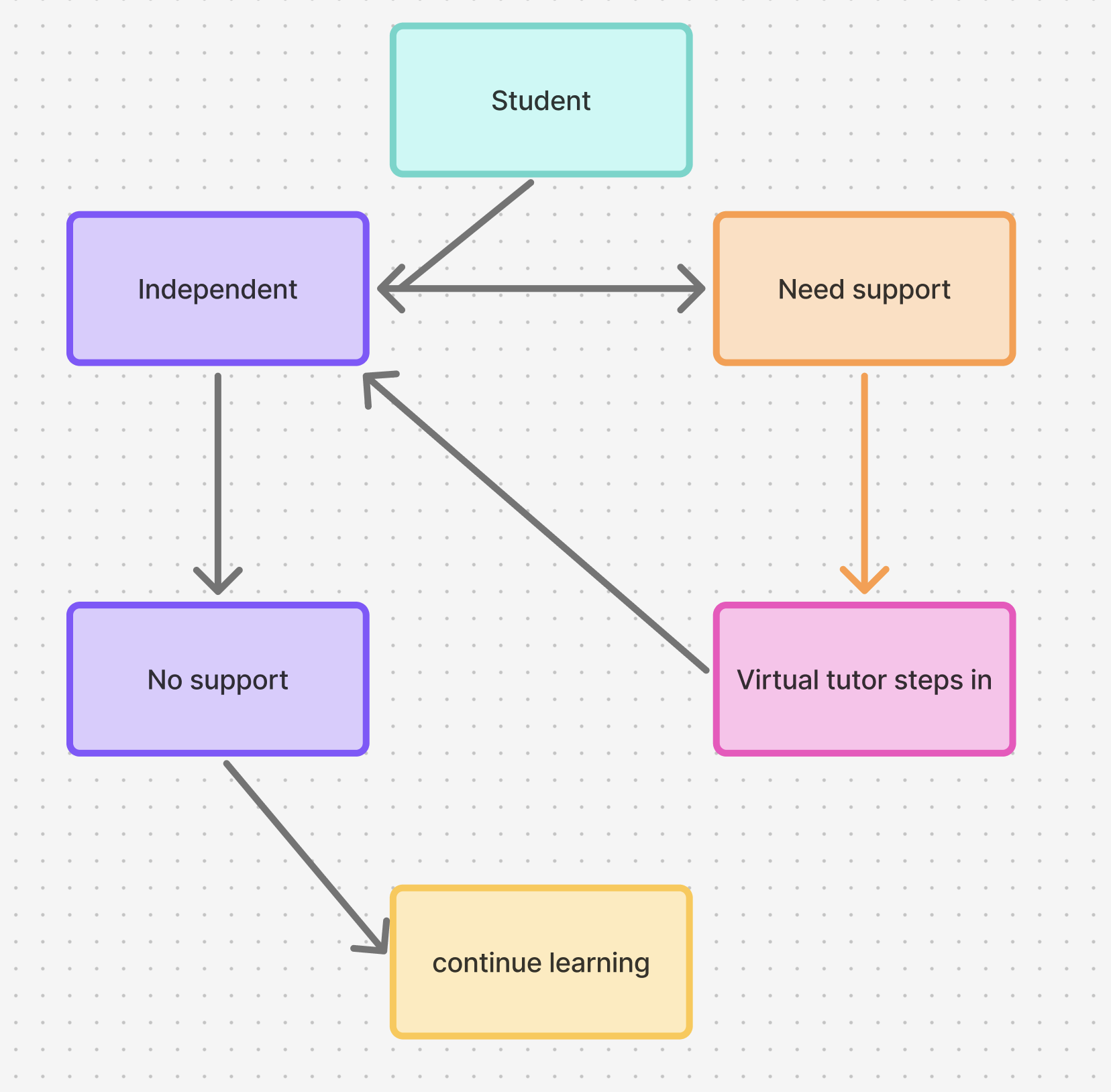
Overview
At Amplify, I designed the interaction framework behind the Virtual Tutor, helping define how guidance, feedback, and progression worked across a personalized K–8 math platform.
Rather than focusing on individual screens, I designed the behaviors and rules that determined when students received support, how the Virtual Tutor responded, and how guidance adapted to different age groups.
One of the most significant challenges was recognizing that younger learners and middle school students needed fundamentally different interaction models. Instead of applying one approach across the product, we created distinct systems that reflected how each audience learns, explores, and builds confidence.
My Role
As Principal Product Designer, I partnered with Product, Engineering, Curriculum, and Research to define the interaction framework that powered adaptive guidance throughout the platform.
Responsibilities
Designed the Virtual Tutor behavior model
Defined adaptive interaction rules and guidance behaviors
Co-designed the Grades 6–8 activity flow with Product
Created reusable visual communication guidelines
Established scalable interaction standards
Collaborated with Engineering to ensure behaviors were implemented consistently
Participated in usability testing and translated findings into design improvements
The Challenge
The challenge wasn't simply deciding when the Virtual Tutor should help.
It was understanding that different learners needed different systems.
Our K–5 products were designed for younger learners who benefited from more structured support, encouragement, and immediate feedback.
As we expanded into Grades 6–8, our assumptions changed.
Older students wanted more independence. They were comfortable exploring, trying multiple approaches, and solving problems on their own. When the Virtual Tutor interrupted too early, it often broke their concentration instead of helping them.
Rather than designing a single experience, we intentionally created two guidance models that reflected different developmental needs.
Grade Comparison
K-5
Needs confidence
Frequent feedback
Immediate help
Grades 6–8
Wants independence
Exploration
Delayed intervention
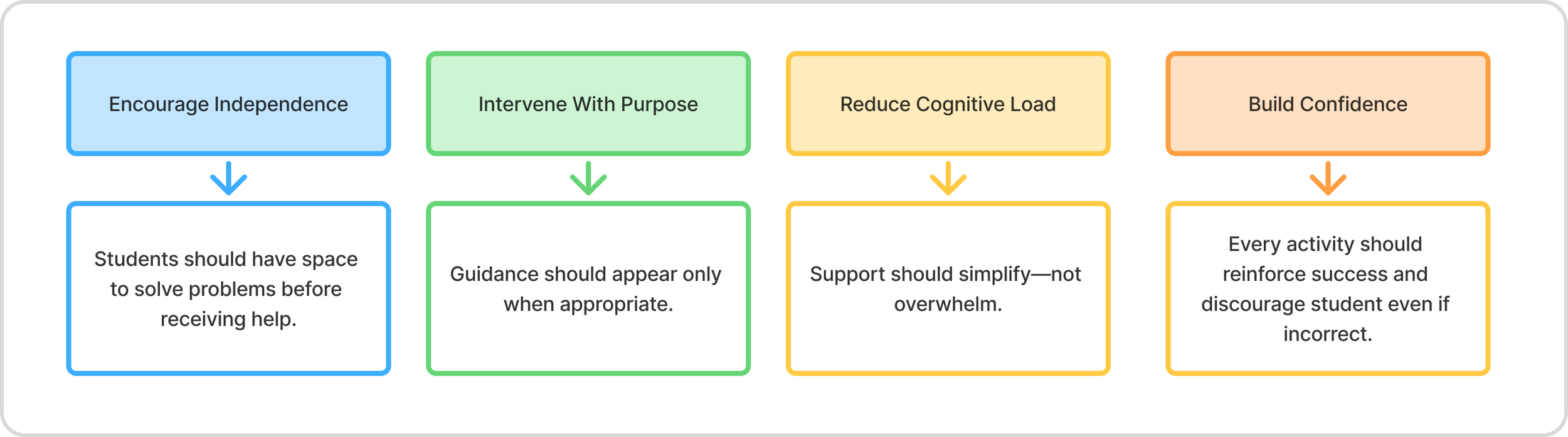
Design Principles

Designing Two Guidance Models
One of the most important systems decisions was recognizing that guidance should adapt not only to student behavior but also to age and developmental stage.
K–5 Guidance Model
Design Goal: Build confidence through active support.
For younger learners, the Virtual Tutor played a much more visible role throughout activities.
The interaction system emphasized:
faster intervention when students struggled
frequent encouragement and positive reinforcement
guided introductions to new concepts
immediate feedback to maintain momentum
consistent visual support throughout the experience
The tutor acted as an active learning companion, helping students build confidence while reducing frustration.
Grades 6–8 Guidance Model
Design Goal: Encourage independence through thoughtful support.
For older students, we intentionally reduced the tutor's presence.
Instead of leading students through activities, the system prioritized exploration and productive struggle before offering assistance.
The interaction model focused on:
allowing students to attempt problems independently
delaying intervention until meaningful struggle occurred
providing contextual hints rather than direct instruction
minimizing unnecessary interruptions
returning control to the student as quickly as possible
Rather than directing the experience, the Virtual Tutor became a supportive guide that appeared only when it added value.
Comparing the Interaction Systems